
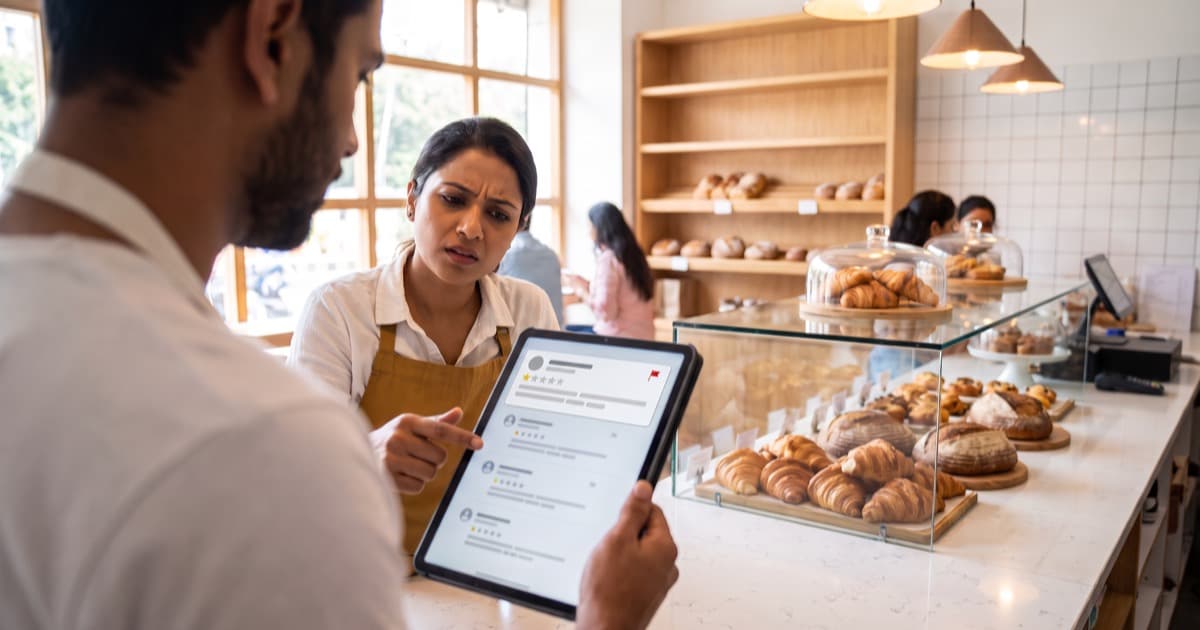
The short answer: A review from someone who was never your customer breaks Google's rules, and Google's policy specifically does not allow posting reviews on a competitor's business to damage its reputation. Google removes a review once it agrees the review breaks its policy, so make that easy: check that the review is really fake and not just unfair, save the evidence, report it, reply calmly while you wait, and never answer fake reviews with fakes of your own. In the long run, your best protection is a steady flow of real reviews.
Below: how to tell a fake review from an angry customer's, what Google's policy says, the steps that work, and what Google now does about a wave of fake reviews. We checked Google's help pages on 26 October 2026, because they change.
Fake or just unfair? Check before you report
A harsh review is not a fake review. Google's help page for business owners says not to report a review just because you disagree with it or dislike it. A customer who exaggerates, or gives one star for a bad day, still had a real experience, and that review normally stays.
So start with what you can check yourself. No single sign below proves anything; several together are worth reporting.
| Signs of a fake review | Signs of a real, unhappy customer |
|---|---|
| No bill, booking or order matches the day, the group or the order described | You can find the visit, even if their version differs from yours |
| Describes a dish, a service or a staff member you do not have | Names something real: a dish, a delay, a busy evening |
| The reviewer's profile has no other reviews, or reviews unrelated businesses in many cities | The reviewer has a normal history of reviews in your area |
| Arrives in a cluster with similar wording, often within hours | Arrives alone, in the customer's own words |
| Recommends a named competitor, or reads like an advert for one | Talks only about their own experience |
| Is followed by a message asking for money to remove it | Is followed by a complaint you can actually fix |
Two checks matter most: your records (bills, bookings, delivery orders, the appointment book) and the staff who were on duty. If the complaint matches something that really happened, it is not fake, and the right move is a good reply: how to reply to a bad Google review has the method and five templates.
What Google's rules say about fake and competitor reviews
Google's content policy for Maps starts from one principle: a review "should reflect an actual experience with a business, and be genuine and unbiased." Its fake engagement rules cover content that is not based on a real experience, reviews paid for "directly or in kind", and content posted from multiple accounts by, or at the request of, one person. They also say plainly that merchants and users may not "post content on a competitor's place or business to undermine that business' or product's reputation."
The rating manipulation rules add two more that fit a competitor attack: "unusual volumes or patterns of review contributions" meant to manipulate a rating, and reviews based on a conflict of interest, with "industry competitors" given as an example.
Google enforces this at scale. Its Maps team reports that its systems and analysts blocked or removed over 292 million policy-violating reviews in 2025. Some fake reviews are stopped before they are ever published. The ones that get through are what the report button is for.
Step by step: what to do about a fake review
1. Save the evidence first
A reviewer can edit or delete a review at any time, and fake accounts disappear. Before you report anything, save:
- A screenshot of the review that shows the date, the rating and the reviewer's name.
- The link to the review. In Google Maps, find your business, select Reviews, then More next to the review, then Share review, and copy the link.
- A screenshot of the reviewer's profile and their other reviews.
- What your records show: no matching bill or booking, or a day you were closed.
- For a cluster, when you first noticed the run of reviews, with a short note on each one.
Keep it all in one note or folder. The same facts serve the report, a possible appeal and, in rare cases, a lawyer.
2. Report the review from your Business Profile
Open your Business Profile, select Read reviews, select the report option next to the review, choose the reason that matches what you found, and send the report. Google says evaluation typically takes several days, and you can follow the status in its Reviews Management Tool. The full report and appeal process, step by step, is in can you delete a Google review?.
3. Report the reviewer's profile if it is a pattern
If the same account has posted fake reviews about other businesses too, or several accounts look like one person, report the profile itself. In the Google Maps app, tap Business, then Reviews, tap the reviewer's name, then More and Report, and choose a reason. Google then reviews that account's activity for policy violations, not just the one review.
4. Reply in public, calmly, while you wait
A report can take days, and the review is visible the whole time. A short, polite reply tells readers that a real person runs the business and that the story may not be what it seems. Never accuse the reviewer of being a competitor, a liar or a bot: you cannot prove it in a reply, it starts a public argument, and Google's reply tips say to avoid personal attacks. State facts, invite contact, stop. Three templates for situations fake reviews often create:
The review describes something you do not offer
Thank you for your review. We do not serve [item or service], so we think this may be meant for another business. If we have got this wrong, please contact us at [phone or email] and we will look into it straight away. [Your name], [business name]
The review is about a day you were closed
Thank you for your review. We were closed on [date], so we think this may be about a different visit or a different business. If you visited us on another day, please contact us at [phone or email] so we can understand what happened. [Your name], Owner
Several similar reviews arrived at once
Thank you. We have received several reviews today describing the same visit, and we cannot match any of them to our records. We have asked Google to check them. If you were with us, please contact us at [phone or email] so we can make it right. [Your name], Manager
If Google removes the review later, your reply goes with it. You lose nothing by replying.
5. If Google finds no violation, appeal once, with facts
If the report comes back as Report reviewed – no policy violation, Google allows one appeal through the Reviews Management Tool, for up to 10 reviews at a time. This is where the evidence from step 1 pays off: "No order exists for this date." "We were closed that day." "This account reviewed businesses in several cities on the same afternoon." Facts that Google can check carry more weight than feelings.
6. Use the right channel for extortion or illegal content
If fake one-star reviews come with a demand for money to remove them, that is extortion. Do not pay or negotiate, gather the evidence, and use Google's merchant extortion report form. If you believe a review is defamatory or otherwise unlawful, Google has a separate legal removal form, and a lawyer should advise you before you use it. Both paths are covered in the guide linked in step 2.
When it is a wave, not one review
The most frightening version is a review bomb: ten or twenty one-star reviews in a day, often from brand-new accounts. In April 2026, Google's Maps team announced that when it sees a sudden spike in spam reviews, it will quickly remove the fake content, pause new reviews on the profile, alert the Business Profile owner, and show customers a notification banner explaining why reviews are temporarily paused, with these protections rolling out globally.
So if new reviews on your profile are suddenly paused after a run of one-star ratings, check your email first. Then keep saving evidence, report the reviews that are still visible, and reply to them with the same calm note.
Never fight fake with fake
When a competitor attacks, two counter-moves are tempting: fake five-star reviews on your own profile, or fake one-star reviews on theirs. Both break the same Google policy you are relying on. Google's help page on profile restrictions says that when a business owner has violated its fake engagement policy, Google may, besides removing the reviews, stop the profile from receiving new reviews for a set period, unpublish its existing reviews for a set period, or show customers a warning that fake reviews were removed. That warning would hurt you far more than one fake review. Asking friends, family or staff to "balance it out" is no better: Google treats their reviews as a conflict of interest, as explained in can you ask for 5-star Google reviews?.
In more and more places, fake reviews are also against the law:
- United States. The Federal Trade Commission's rule on consumer reviews, announced in August 2024, bans fake reviews and paying for positive or negative ones, with civil penalties for knowing violations.
- United Kingdom. Since April 2025, posting or commissioning a fake review has been explicitly banned, and the Competition and Markets Authority can fine businesses up to 10% of their global turnover for breaking consumer law.
- India. IS 19000:2022 is the national standard on how online consumer reviews should be collected, moderated and published.
This is general information, not legal advice; rules differ by country and change.
The best defence is many real reviews
A fake review does the most damage to a profile with only a few reviews. In a plain average, a business with 20 reviews averaging 4.6 drops to about 4.4 after one fake one-star rating; with 200 reviews, it still averages about 4.6. Google's exact formula may differ, but the point stands: the more real reviews you have, the less one fake can move your rating.
The way there is slow but reliable: ask every customer for an honest review with Google's own link or QR code, and reply to the reviews you get. Google's tips page even says that a mix of positive and negative feedback often feels more trustworthy, and against many specific, real reviews, a fake attack stands out.
Where private feedback fits
A fake review is hard to judge because you only have one side of it: a stranger's story against your memory. The more you hear from your real customers, the easier it is to see which stories do not fit.
With BettrUs, you place a QR code on the counter, the table or the bill. Every customer is invited to rate the five things you chose and write what they think, and the message comes only to you, in the app. Over the weeks, that becomes a dated record of what real customers say. If a Google review describes a problem none of them has ever mentioned, that is a useful signal for you, though not proof for Google. If your private feedback mentions the same problem, the review is probably real, and fixing the problem matters more than reporting the review. And because you hear about problems the same day, fewer genuine complaints reach Google at all.
One rule keeps this honest: invite every customer to give private feedback, and give every customer the same Google review link, whatever they said in private. Using the private answer to decide who gets sent to Google is review gating, which Google prohibits. How the two channels work together is in Google Reviews vs private feedback.
Common questions
Will Google remove a fake review if I report it?
Only if Google agrees that it breaks its content policy. Google says evaluation typically takes several days, and if your report is rejected you get one appeal, so keep both factual.
A competitor has obviously fake five-star reviews. Can I report them?
Yes. Anyone can report a review on Google Maps: open the business, go to its reviews, open the menu next to the review and choose Report review. Google's policy covers reviews based on a conflict of interest and unusual patterns of reviews meant to push a rating up. Report the specific reviews with facts, then put your energy back into your own customers.
Can I ask the reviewer to take it down?
Google's Maps help says you can't contact someone who left an inappropriate review, so your public reply is the way to invite them to get in touch. Never offer money, a discount or anything else to have a review removed: Google's policy prohibits incentives for the revision or removal of a negative review, even when the review is unfair.
The takeaway
Check before you report. Report with evidence. Reply calmly, without accusing anyone. Appeal once, with facts. Never answer fakes with fakes. And keep building the one thing a competitor cannot fake for you: a steady stream of real customers saying real things, in public on Google and in private to you.
Want to hear what your real customers think before a stranger tells Google? Start your free trial, and you can have a private feedback QR code working this week.