
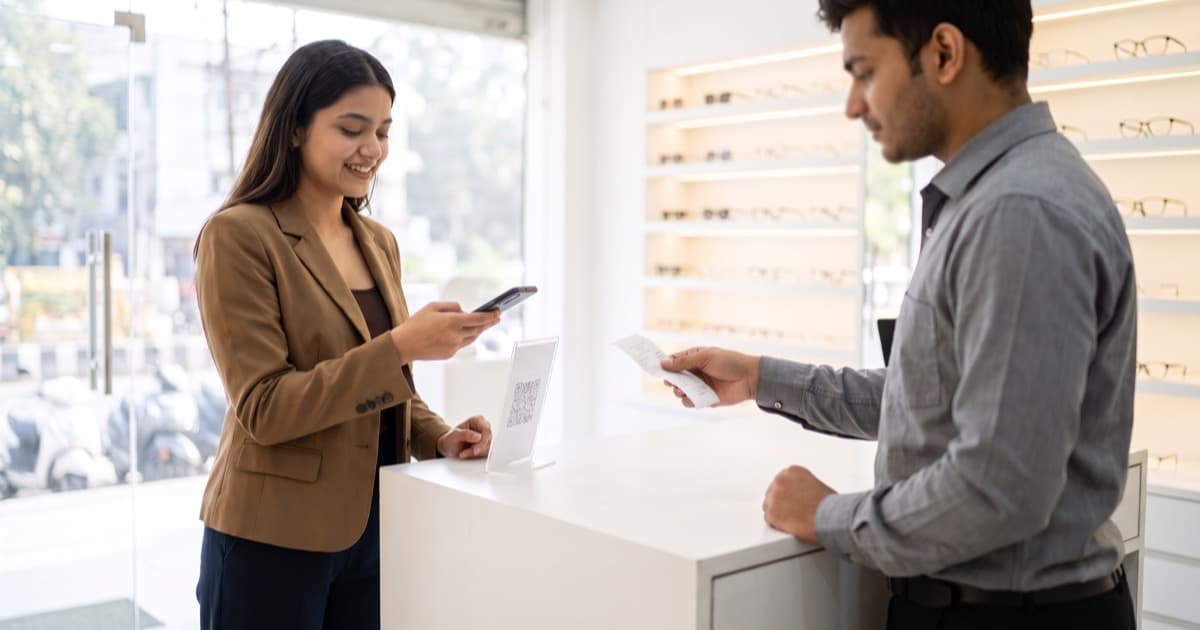
The short answer: Yes, you can ask customers to review your business on Google. Google wants you to: it gives your Business Profile a review link and a QR code for exactly this. What you cannot do is pay or reward anyone for a review, pressure them to post while they stand at your counter, set review targets for your staff, or choose who you ask. Asking only the customers you expect to be happy, or steering the unhappy ones away from Google, is what the industry calls review gating, and Google's content policy prohibits it. One sentence covers the whole rule: ask for a review, not for a rating.
This post explains where the line is, what Google's help pages actually say, and how to ask in a way that brings in more reviews without putting your profile at risk. We checked the Google pages on 19 October 2026, because they change.
"Please give us 5 stars" is not the same as "please leave us a review"
Walk into many shops and you will hear it at the billing counter: "Sir, please give us 5 stars on Google." The staff mean well. The rating is public and it brings in customers, so they ask for a good one.
Google's policy for Maps does not use the words "five stars" anywhere, so this sentence does not get a review removed on its own. But look at what it asks for. It names the rating the customer should give, not the experience they had. It is said face to face, while the customer is still in the shop. And in practice staff say it to the customers who look happy and skip the ones who do not. Two of those sit right next to things Google does prohibit: pressuring customers to leave ratings, and selectively asking the happy ones.
"Please leave us a review" has none of those problems. It invites everyone, it leaves the stars to the customer, and it works with a link or a QR code that the customer uses in their own time. Same effort, no risk, and the reviews that come back are the kind readers believe.
What Google allows and what it bans
Google's rules for business owners live in two places: the Maps content policy, which every review and every merchant must follow, and the Business Profile help pages on getting more reviews. Put together, this is the line.
| Allowed | Not allowed |
|---|---|
| Asking every customer to review their genuine experience, in person, on the bill or by message | Asking only the customers you expect to be positive, or discouraging negative reviews |
| Sharing the review link or QR code that Google gives your Business Profile | Offering money, a discount, a free item or a gift in exchange for a review |
| One polite reminder after the visit, by email, WhatsApp or SMS | Requiring or pressuring customers to leave a rating |
| Encouraging your team to mention the review link to everyone | Setting a number of reviews your staff must collect |
| Replying to every review, good or bad | Offering anything to change or remove a negative review |
| Leaving the stars and the words to the customer | Reviews from you, your staff, your family or your friends |
Two lines from Google's policy do most of the work. Under rating manipulation, merchants may not "discourage or prohibit negative reviews, or selectively solicit positive reviews from customers", and when soliciting reviews they should not "require or pressure users to leave ratings". Under fake engagement, reviews "that have been paid for, directly or in kind" are prohibited, and Google's tips page says offering free or discounted goods or services for posting, changing or removing a review is strictly prohibited. The policy also treats reviews from current or former employees, or from anyone with a contractual or family connection, as a conflict of interest. Asking your staff and relatives for five stars is not a grey area.
What review gating is, exactly
Review gating is a filter placed in front of Google. The customer is asked a first question, usually "How was your experience?" with a happy face and a sad face, or a star rating. Happy answers are shown the Google review link. Unhappy answers are shown a private complaint form, or nothing at all.
It is tempting because it works, for a while. Your rating climbs, because only satisfied people were ever pointed at Google. But it is exactly what Google's policy describes as selectively soliciting positive reviews and discouraging negative ones. Regulators agree: the US Federal Trade Commission's guide for marketers tells businesses not to ask for reviews only from customers they think will leave positive ones.
There is a practical cost too. Google says incentivised and biased reviews "are not allowed and will be removed", and that its systems look for unusual volumes or patterns of reviews. A profile that collects only five-star reviews in neat clusters is a pattern. Readers notice it before Google does: a page of near-identical five-star reviews with no owner replies reads as fake, and a fake-looking profile does not bring customers in, which was the whole point.
Asking "how was it?" is fine, as long as it happens before any decision about Google. Ask everyone, listen to the answer, and give everyone the same review link afterwards. Using the answer to decide who gets the link is the gate.
How to ask for Google reviews the right way
1. Get your review link and QR code from Google
On a computer, open your Business Profile (search for your business name on Google while signed in to the account that manages it), select Read reviews, then Get more reviews. Select Copy to copy the link. Right-click the QR code and choose Save image as to download it. Google's help page notes that the QR code can currently only be generated from a computer browser, not on a phone.
2. Put it where every customer sees it
Google's own suggestions are good ones: print the QR code and display it in your store, add the link to receipts and thank-you emails, and share it at the end of a chat. The same page mentions sending it by email, WhatsApp or a Facebook post. Every customer gets the same invitation, and no staff member decides who deserves it.
3. Give your team one sentence, with no stars in it
Staff ask for five stars because nobody gave them better words. Give them these, and ask them to use the same words with every customer.
At the counter: "Thank you for coming in. If you have a minute later, we would really value an honest review on Google. The QR code is on your bill."
By WhatsApp or SMS, the same day: "Thank you for visiting [business name] today. If you would like to share how it went, here is our Google review link: [link]. Every honest review helps us improve."
By email, within a day: "Thank you for choosing [business name]. If you have a moment, we would love to hear how your visit went on Google: [link]. Good or bad, we read every review and reply to it."
All three ask once, say "honest", hand the decision to the customer, and promise nothing in return.
4. Ask once, soon, and then stop
Ask within a day of the visit, while the experience is fresh, and ask one time. A second reminder is a nudge; a third is pressure. Customers must be signed in to a Google Account to leave a review, and some will not have one or will not bother. Let it go. A review someone was chased into is rarely a kind one.
5. Reply to every review you get
Google's tips page asks businesses to value all reviews and reply to them, and a reply is also the clearest signal to readers that a real person runs the place. For the harsh ones, the method and five templates are in how to reply to a bad Google review.
Six habits that look like gating, or are
- The two-button sign. "Loved it? Review us on Google. Something wrong? Tell us here." That is a gate, printed. Give everyone both options, or just the Google link.
- Review cards for smiling customers only. If the card goes to some tables and not others, your staff are the filter. Put the QR code on every bill instead.
- A discount for a screenshot of a review. Any reward for a review is an incentive under Google's policy, however it is dressed up.
- A staff contest for the most reviews. Google's policy names merchants asking staff to collect a certain number of reviews. A quota turns every polite request into pressure.
- Watching the customer post. Handing over your tablet, or standing at the table while they type, is the pressure Google warns about. Let them post later, from their own phone.
- Family, friends and staff reviews. A conflict of interest in Google's policy, and easy to spot: a cluster of five-star reviews from accounts that have never reviewed anything else.
"But I only want good reviews on Google"
Every owner feels this. It helps to remember what a Google rating is for: it exists to help strangers predict their own visit. A profile with mostly good reviews, a few average ones, specific words and an owner who replies to everything is believable, and believable is what brings new customers in. The real way to get more good reviews is not to control who writes them. It is to have fewer unhappy customers, and to hear about the unhappy ones early, before they open Google Maps.
Where private feedback fits
That is the job of a private channel, and it is worth being precise about how it sits next to Google, because the two are easy to confuse with a gate.
With BettrUs, you place a QR code on the counter, the table or the bill. Every customer is invited to scan it: they rate the five things you chose, write what they think, and the message comes only to you, in the app. Nothing is posted online, so people say the real thing. You hear about the slow service or the cold food the same day, and you can fix it before the next customer meets it. That is how a profile fills up with good Google reviews on its own: the problems get solved first.
What the private form must never do is decide who gets the Google link. "If you rated us 4 or 5, please post it on Google" is review gating with an extra step. Ask everyone for private feedback, and give everyone the same Google review link, whatever they said in private. Two channels, two jobs, both open to every customer: Google reviews bring new customers in, and the honest private version tells you what to fix. The full comparison is in Google Reviews vs private feedback; if the idea is new to you, start with what private feedback is.
Common questions
Is it against Google's rules to ask for 5 stars?
Google's policy does not mention five stars by name. What it prohibits is pressuring customers to leave ratings, offering incentives, and asking selectively. "Please give us 5 stars" asks for a specific rating and is usually said under some pressure, so it sits very close to the line. Ask for an honest review instead and let the customer choose the stars.
Can I offer a small discount for a review if I ask every customer?
No. Google treats any incentive for a review, including discounts and free goods or services, as fake engagement, whether or not you ask everyone. The same rule covers incentives to change or remove a review.
Is it OK to ask "how was your visit?" before sharing the review link?
Yes, as long as everyone gets the link afterwards, whatever they answered. The question is fine; the gate is using the answer to decide who is shown the link.
Do customers need a Google account to review me?
Yes. Google's tips page says customers must be signed in to a Google Account to leave a review, and that they can set one up with a non-Gmail email address. Some customers will not have one, which is one more reason not to push.
The takeaway
Ask every customer for a Google review, in the same words, with Google's own link or QR code, and let them choose the stars. Never pay, never pressure, never pick who gets asked. Then give your customers a private way to tell you the honest version first, so that the reviews you do get are good because the visit was.
Want to hear the honest version before it reaches Google? Start your free trial, and you can have a private feedback QR code working this week.